The OpsCanvas Platform
Start on one workstation.
Share the map with your team.
OpsCanvas builds a Cloud Intelligence Graph™ of your cloud in minutes, from inside the AI tool you already use. Every answer, change plan and fix can start from the same confirmed map.
Your model. Your AI tool. Your cloud.
Three Editions, One Product
Start free. Share it. Run it everywhere.
Operator
Free for one engineer. A local graph on your workstation, built under your own access.
Pro
Share your graph with your team, so every engineer and every AI tool works from the same map.
Enterprise
The graph across the whole estate, with agent controls built on it.
Every edition includes the sample jobs, quick assessments and Findings Remediation. You pay for how many people share the map and how much of the estate it covers.
An engineer joining a team brings their map with them, and moving from Pro to Enterprise is a directory change, not a rebuild.
Read Your Estate in the Browser
The map your AI answers from.
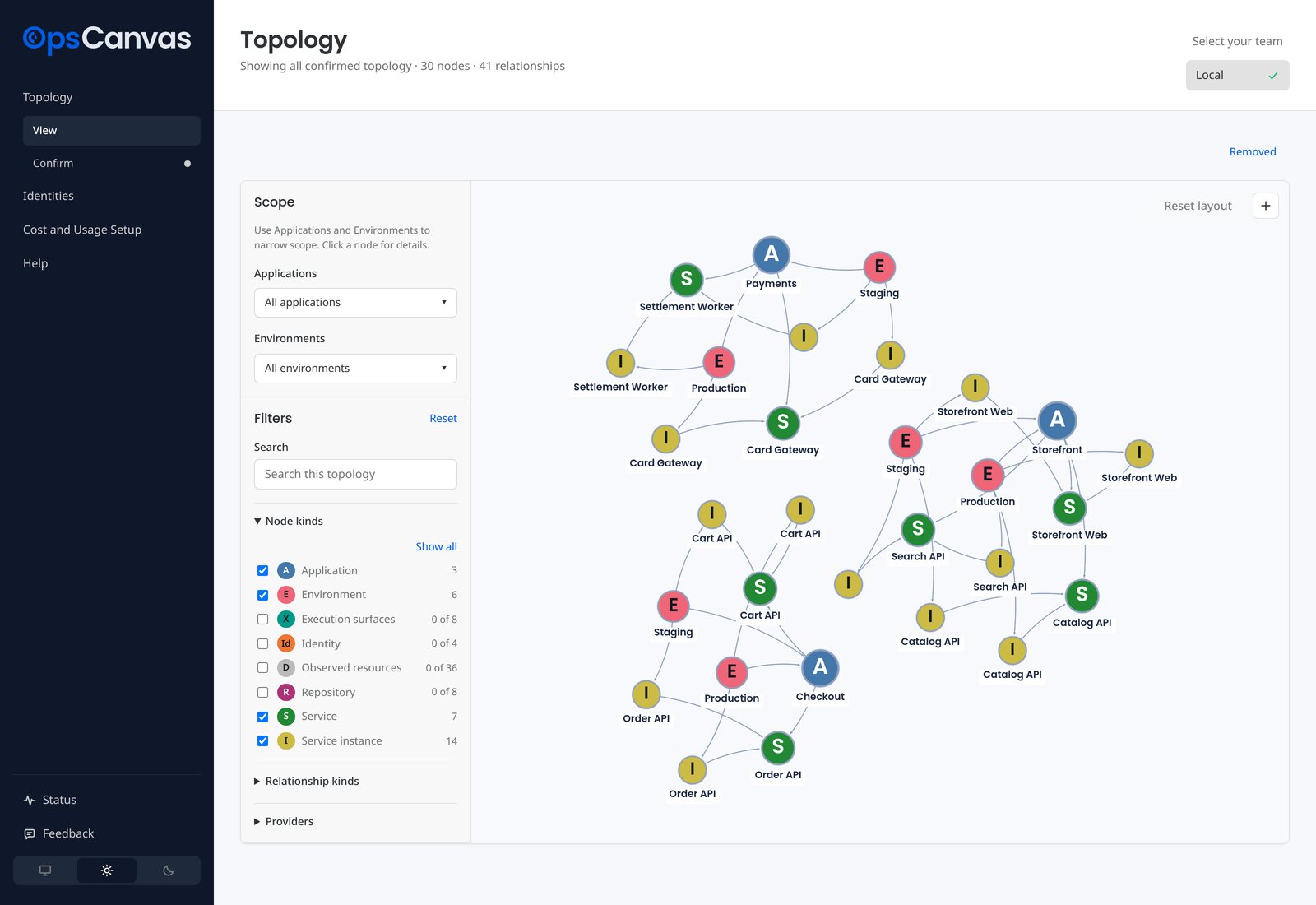
Topology View shows everything you have confirmed: Applications, Services, Environments and how they connect. Your AI queries the same graph.
Context Your AI Can Trust
It remembers. It's confirmed. It's shared.
A bare model guesses at your cloud and starts over every session. OpsCanvas gives it a map that persists, that your engineers have confirmed, and that the whole team shares.
- Memory The MCP remembers your topology between sessions, so your AI stops rediscovering it.
- Human confirmed Engineers confirm the map and can correct it, so answers come from confirmed facts.
- Shared context On Pro, one graph for the whole team and every AI tool they use.
- Grounded in live state Answers are checked against what is actually running, and say what data they used and how current it is.
Under the hood How the Cloud Intelligence Graph™ works
Findings Remediation · In Every Edition
Close findings as a team,
with AI at every step.
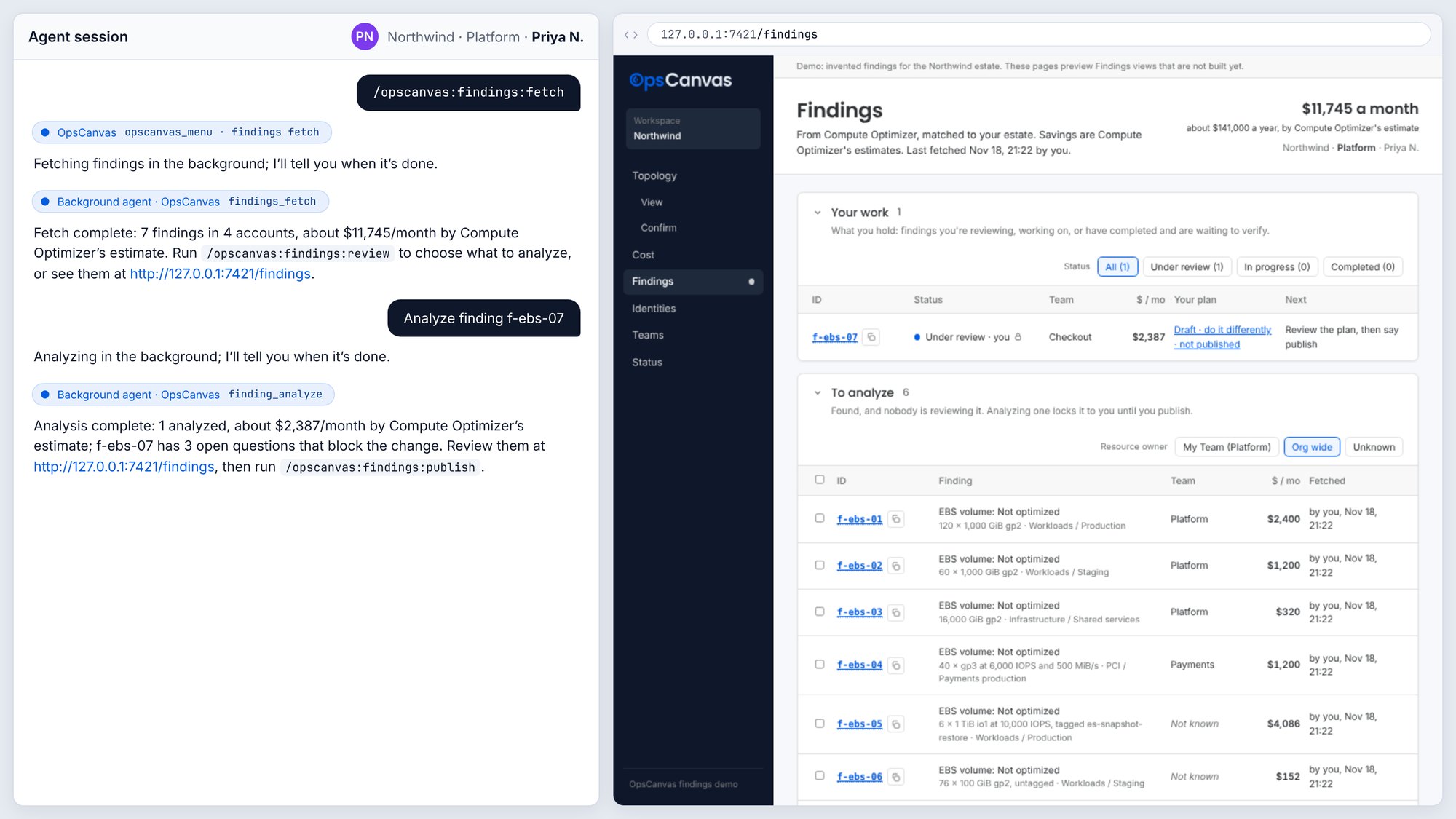
Every finding is grounded in the graph with its owner, blast radius and cost. One engineer's AI analyzes it, the owning team's AI picks it up, a person approves, and OpsCanvas verifies the result. In Operator, Pro and Enterprise, starting with compute recommendations. How it works →
Safety and Security
Nothing changes without a person in the loop.
OpsCanvas is not another security product. It is how your AI learns what a change will touch before anyone approves it.
- Blast radius before change What a change will touch, and who owns it, before it ships.
- A human in the loop Your AI tool makes changes with your access and your approval. OpsCanvas is never in the change path.
- Built with read-only actions The graph is built under your existing access, and credentials stay on your machine.
Safety and security How OpsCanvas handles your data and access
FAQ
Platform questions, answered.
What is the Cloud Intelligence Graph™?
A live map of what you run: applications, the networks that connect them, dependencies, owners and costs. OpsCanvas builds it in minutes without tags, your engineers confirm it, and your AI queries it before it answers.
Where do I start?
Install the free Operator edition on your workstation. It connects to the AI tool you already use and builds your first graph under your own access. When your team wants the same map, move to Pro.
Does OpsCanvas change my cloud?
Building the graph uses only read-only actions. Anything that changes your environment, such as a fix from Findings Remediation, needs a person to approve it first.
What is the difference between a Capability and a Solution?
A Capability is something you run yourself from your AI tool: the jobs and quick assessments that come with the free install. A Solution is an outcome delivered for you by OpsCanvas or a partner, on the same graph.
Get Started
Start free on your workstation.
One engineer, one graph, in minutes. Share it with your team when you're ready.