How It Works
Built from the edge,
inside the AI you already use.
Where OpsCanvas runs, what it reads, how it correlates your systems into one graph, and how that graph grows from one engineer to your whole organization.
The Gap
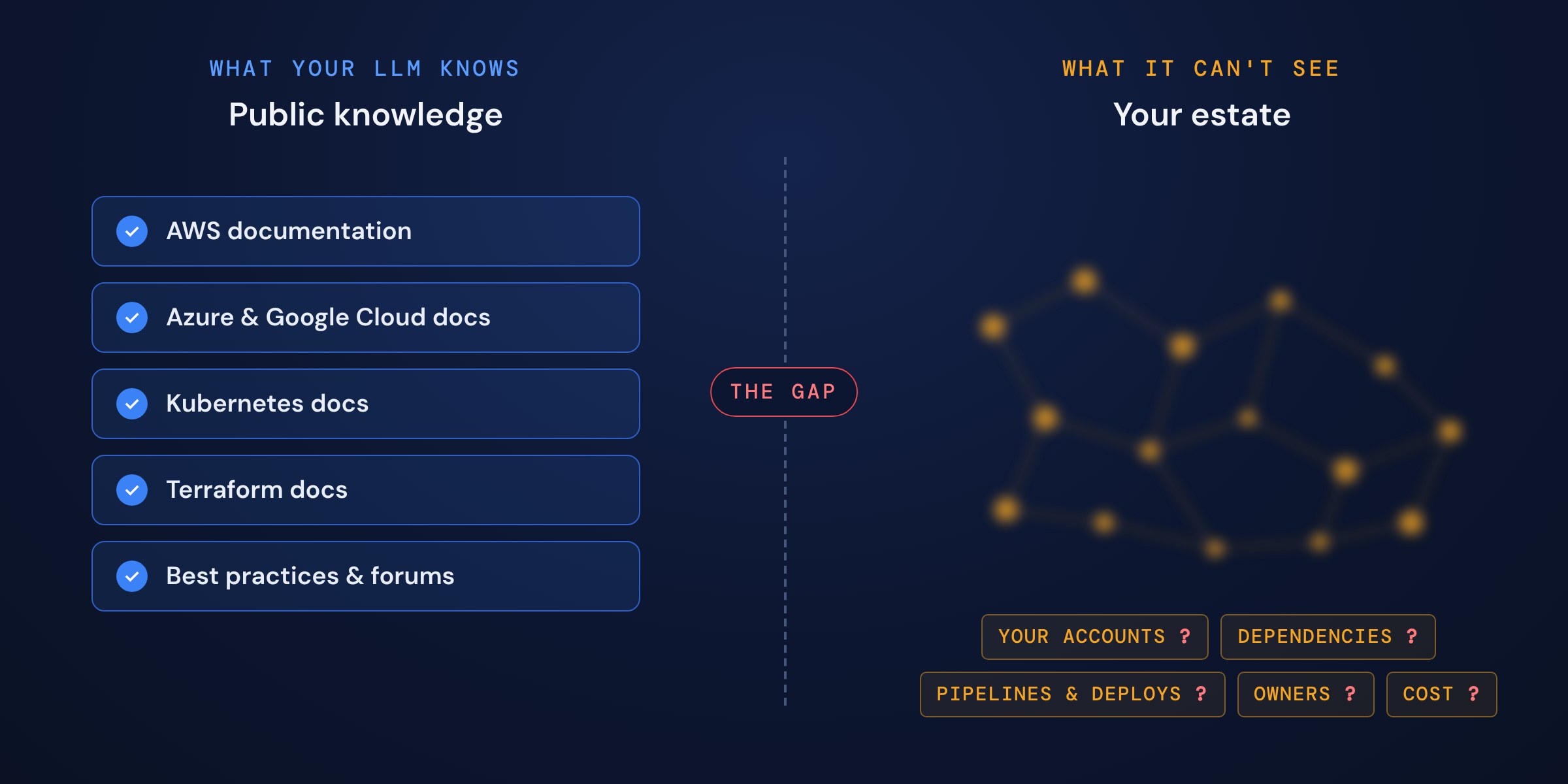
Why your LLM can't see your cloud on its own.
Your model learned from public documentation, not your estate. Even with API access it sees an inventory, one call at a time, with no idea how things connect. Rebuilding that context for every question is slow and gives a different answer each time, so the model guesses or declines: 0 of 35 correct on its own, 35 of 35 with the graph.
The Process
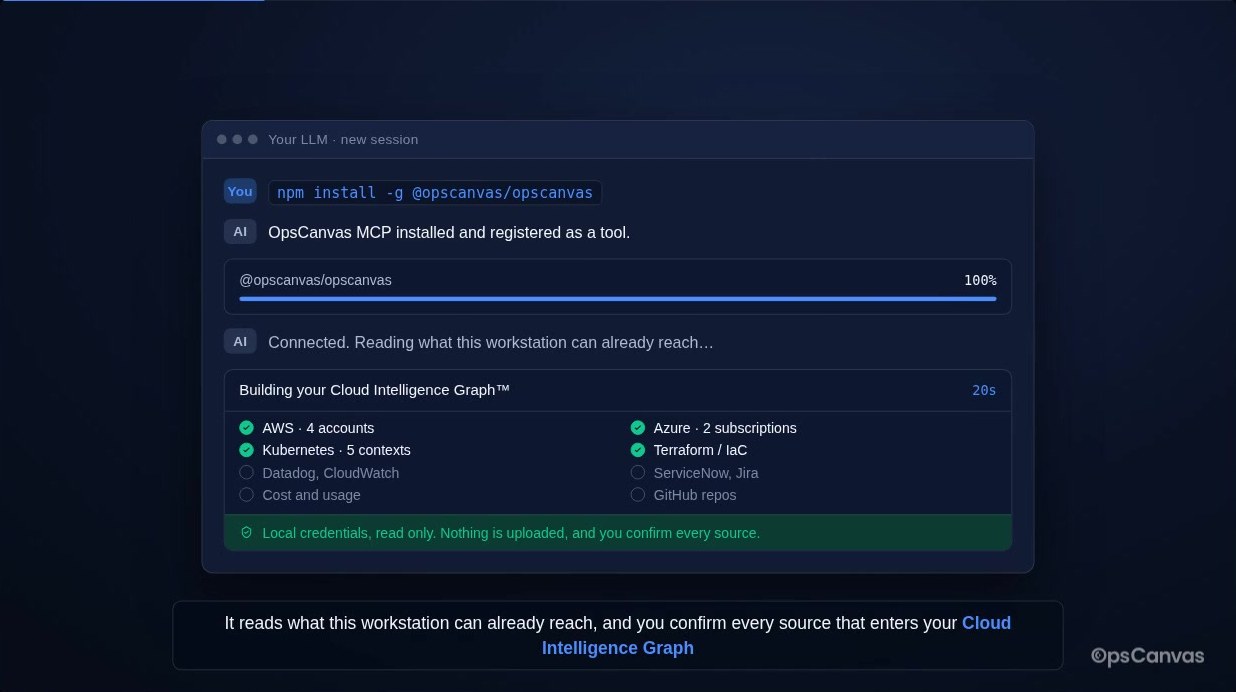
Five steps, from install to answers.
Everything runs on your workstation, under the access you already have. Nothing is deployed into your cloud.
Local by Design
A local view, served from your own machine.
Answers come back as text in the chat you already have open. For the things a chat thread handles poorly, like confirming sources, exploring the graph, and working through large results, OpsCanvas opens a view in your browser. It is served from your workstation, not from a cloud service, so the map you build stays with you.
Why Correlation Matters
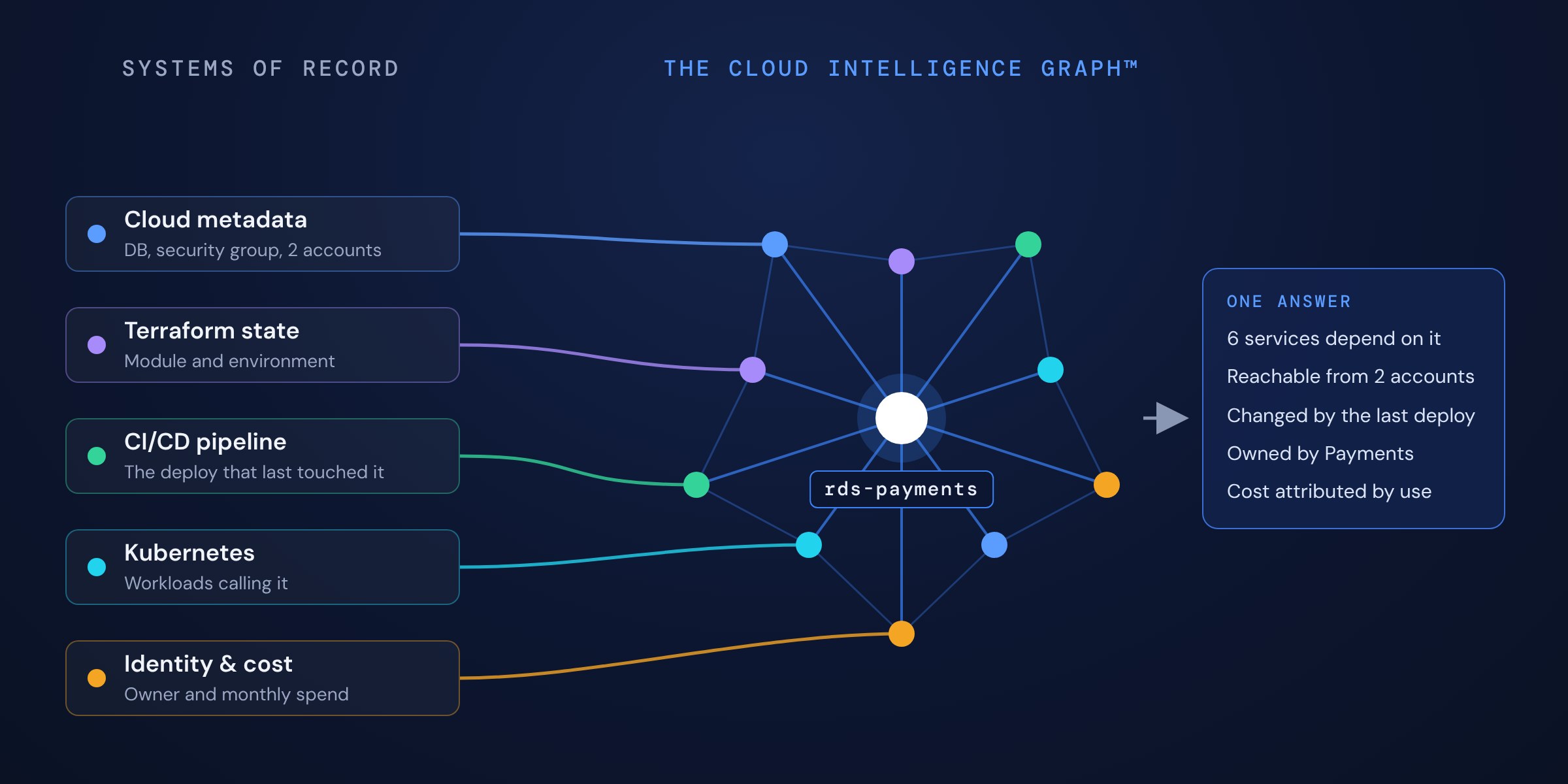
No single system knows the whole story. The graph does.
Take one ordinary question: what breaks if we change this database? The answer runs through five systems, and no one of them can give it alone. OpsCanvas joins them once, on your machine, and keeps the result current, so your AI starts from the whole story instead of rebuilding it every time.
The Result
Facts the model reasons over, not text it generates.
Nothing in the graph is generated by a model. Every node and edge is a fact with the evidence behind it, and the same query returns the same answer tomorrow, so answers can be reviewed and trusted. Pick an overlay to see three jobs the graph does. Read the whitepaper →
The model queries the graph before it answers.
Every environment question goes to the graph first, so the answer comes back with the evidence trail: which nodes, which edges, which source. That is why the same model went from 0 of 35 to 35 of 35.
A finding lands on the node it is about.
A finding from any tool arrives with the resource's dependencies, owner, blast radius, and what fixing it is worth already attached, so the queue is ordered by return and risk rather than by severity label.
Every proposed action is checked against the graph.
When an agent proposes a change, the graph shows what the resource is, what depends on it, and who owns it, so a control plane can allow it, hold it for a person, or block it before it runs.
Illustrative graph of a sample estate. The overlays show the three jobs the graph does: grounding the model, enriching findings, and mapping agent reach.
From One Engineer to the Organization
The graph grows with your team. The trust model does not change.
Operator
One engineer. The graph is built and stored on your workstation, under your own access, and nothing about your estate leaves the machine.
Pro
Your team. Each engineer still builds their slice locally, and the slices merge into one shared team graph, with shared context, findings, and tasks. Credentials never leave each machine.
Enterprise
Your organization. The same merged graph runs continuously in your own environment, with any model, including self-hosted ones.
In every edition, credentials stay on the machine that holds them and a person confirms every source. What changes is who shares the map and where it lives.
An engineer joining a team brings their map with them, and moving from Pro to Enterprise is a directory change, not a rebuild.
Common Questions
How it works, answered.
Which AI tools does it work with?
OpsCanvas is a standard MCP server, so it works inside MCP-compatible AI tools. Setup registers it with the supported tools it finds on your computer. The <a href="/mcp/docs/">documentation</a> lists each one, with setup steps.
Does my data leave my machine?
Not in Operator. The map is built and stored on your workstation. Nothing about your estate is uploaded, used for training, or shared, and your credentials are never collected or stored. The model sees answers; it does not get your infrastructure.
Can it change things in my cloud?
Not today. The current release is read only by design. Guardrailed changes are in development, and when they ship every change goes plan, approve, apply, verify, with a person approving each step.
Do I need to tag my resources first?
No. Dependencies and ownership come from how resources actually connect, from IaC, and from identity signals, not from tags. Tagging programs are incomplete on day one and stale by day two, which is the gap the graph closes.
Get Started
See your own cloud on the graph in minutes.
Free for one engineer, on your own workstation, read only. Or talk to us about Pro for your team and Enterprise for the organization.