Capabilities · Discovery
Know what you run
before you change it.
Map the estate in minutes, without tags, and confirm it with the engineers who run it. All other work starts here.
What's Included
3 jobs and 3 quick assessments for discovery.
Jobs do the work. Quick assessments grade it on a fixed checklist, with the evidence behind every check.
- 01
We get you started.
Every job and quick assessment installs free with Operator. Copy a prompt and run it yourself, or have us or a partner run it with you.
- 02
Better on the graph.
Answers come from live state, owners, reach and cost in your Cloud Intelligence Graph™, not a guess from code.
- 03
Better as a team.
On Pro, everyone works from one shared graph. Findings, plans and context pass between people, and a correction made once counts for everyone.
Jobs 3
- Get orientedWhat runs where, who owns it, how to reach it, and what a change would touch.
- Audit the estateWhat runs that no code declares, no one owns, and nothing can reach.
- Hand off and report upA handoff document or a one-page status report, grounded in the map.
Quick Assessments 3
- Topology completenessHow much of the estate the map covers, and whether to trust it.
- OwnershipOne accountable team per Service, account, Terraform root and Pipeline.
- Audit readinessWhether every Production change can be traced for SOC 2 or ISO 27001.
The Problem
Nobody has the full picture, and it changes every day.
Discovery usually means interviews, spreadsheets and exports that are out of date by the time they are finished.
- Weeks of interviews Before anyone can plan, someone has to ask every team what they run.
- Stale inventories and missing tags Exports and tagging never quite match what is running.
- Surprises later A dependency nobody mentioned, a workload nobody owned, a cost nobody expected.
What the Graph Maps
Everything discovery needs, from one graph.
Built with read-only actions from your cloud APIs, across AWS, Azure and GCP.
- Baseline estateAvailable Applications, environments and resources across accounts and clouds.
- Dependencies and ownershipAvailable What each workload depends on, and who to talk to about it.
- Cost by app and environmentAvailable From your actual billing, without tags.
- Confirmed and correctedAvailable Engineers confirm the map, and can edit or delete what is wrong.
Try It Yourself
Copy the prompt. Run it in your AI tool.
Run it in your AI tool with OpsCanvas installed. These are real prompts from the OpsCanvas Help examples.
Sample Jobs
- Getting oriented in an estate Runs: opscanvas-starter-orient
I'm new to this estate. What runs where, and how do I reach each part?- With the graph
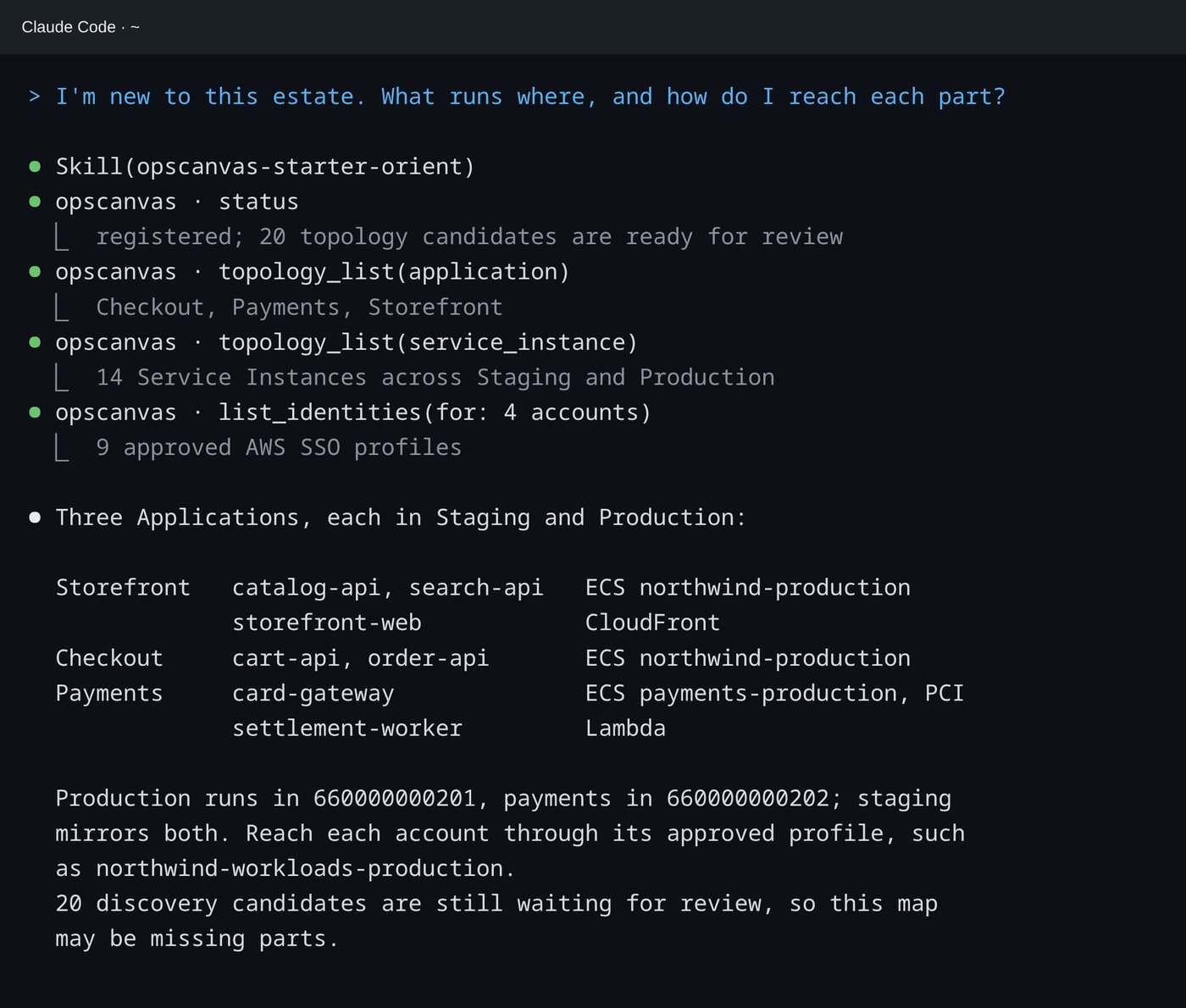
- Applications, Environments and where each Service runs, from your confirmed topology, each account with the approved identity that reaches it, and what the map does not cover yet.
In the Session
A first answer, from the map you confirmed.
Not a search of your repositories: the answer comes from the topology your engineers confirmed, and it says what is still waiting for review.
Better With the Graph
The same question, two different answers.
| Your AI tool alone | With the Cloud Intelligence Graph™ | |
|---|---|---|
| What is running | Whatever it can read this session | The confirmed estate, across clouds |
| Next session | Starts over | Remembered |
| Who owns it | Guessed from names and tags | Confirmed by the team |
| Time to a baseline | Weeks of interviews | Minutes for the first graph |
Human Confirmed
Nothing joins the map until you confirm it.
Discovery proposes Applications, Services and Environments from your repositories, with the evidence for each. You confirm, correct or skip.
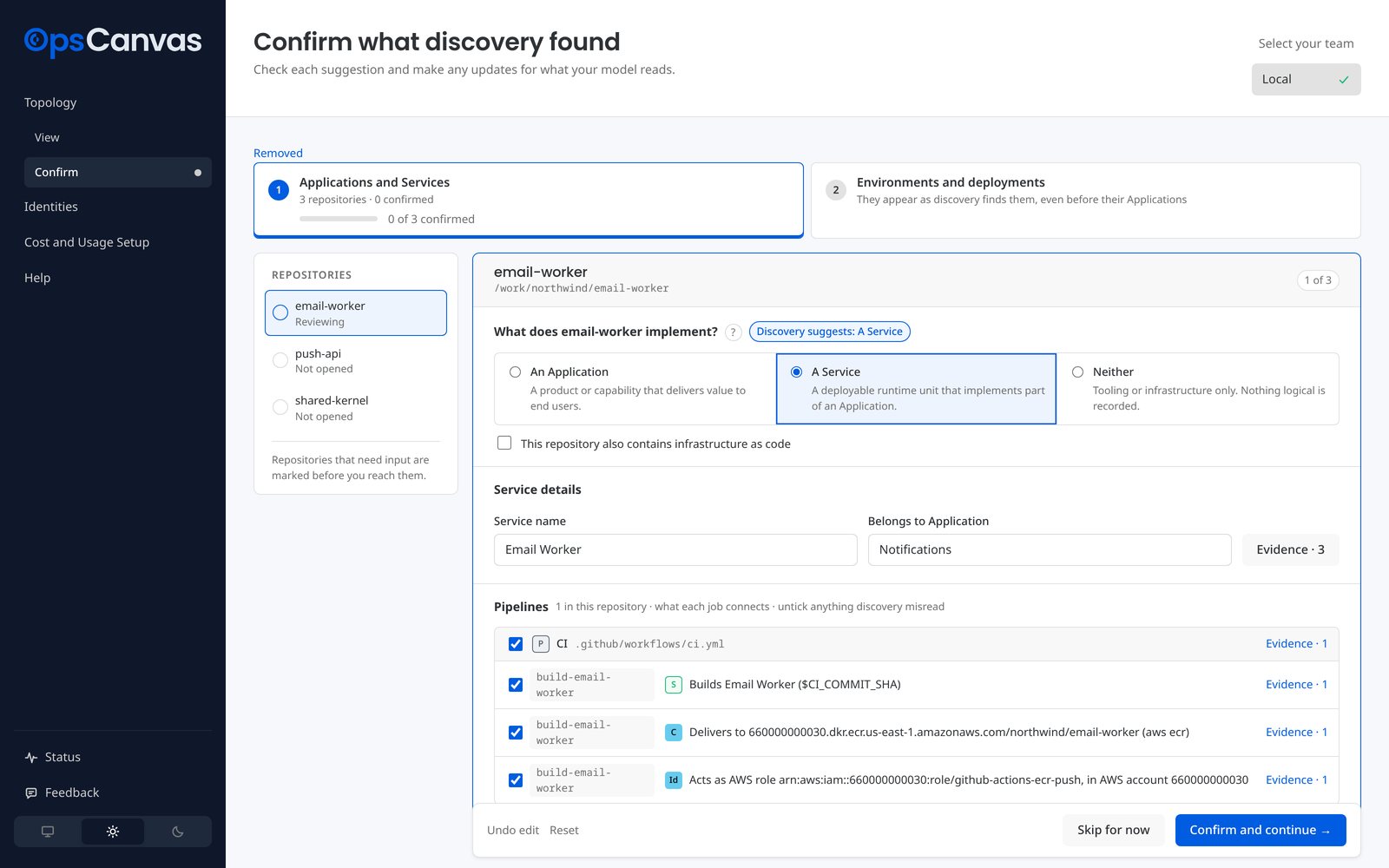
On Pro, each engineer's slice combines into one graph for the team. Planning a migration or modernization? Partners deliver discovery for their clients →
Discovery
Map your first account today.
Free with Operator, in the AI tool you already use.